
VPS 及 Clash 节点搭建
机器规格:1 核 1G/0.5G Debian 12 x64,0.5 G 正常也够用,区域选非大陆即可
1 | sudo apt update |
检查安装结果
1 | sing-box version |
执行下列语句并记录密码:
1 | PASSWORD=$(sing-box generate rand --base64 16) |
执行下列语句并记录 IP 地址(注,需要确切购置具有 IPV4 地址的机器)
1 | curl -4 ifconfig.me |
写入 sing-box 服务端配置
注:Clash for windows 不支撑 2022-blake3-aes-128-gcm 加密算法,需要切换为 aes-128-gcm
1 | sudo tee /etc/sing-box/config.json > /dev/null <<EOF |
检查配置文件,若无报错则继续下列步骤
1 | sudo sing-box check -c /etc/sing-box/config.json |
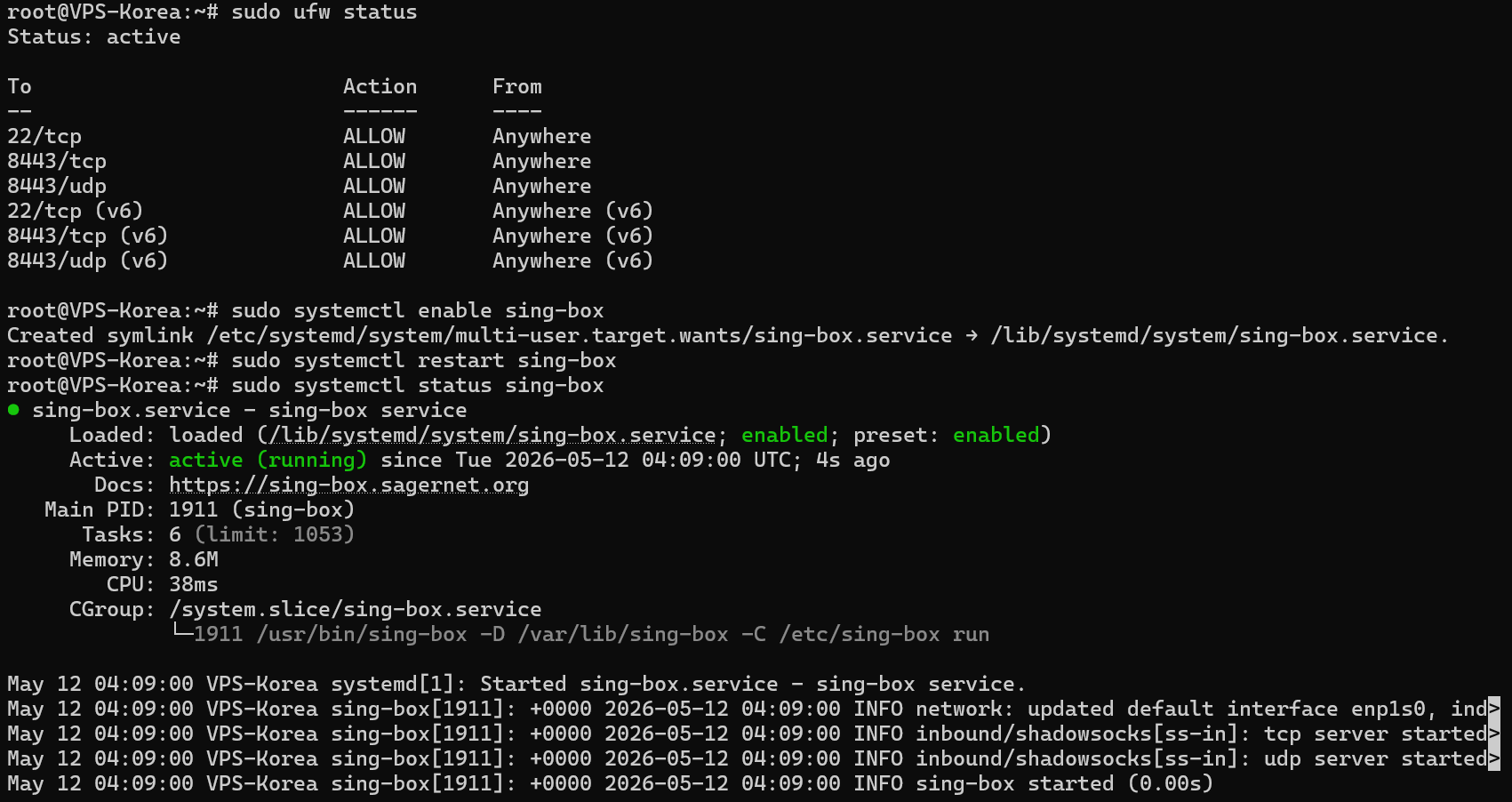
开放端口,若后台还有安全组件,同样需要相应放行(Shadowsocks)
1 | sudo ufw allow 22/tcp |
启动并查看运行状态,其效果应如下
1 | sudo systemctl enable sing-box |
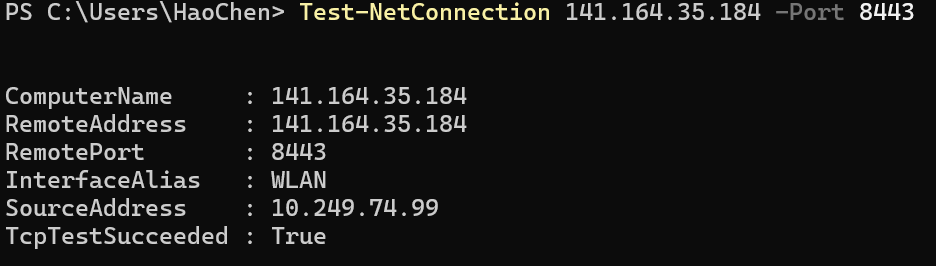
相关测试(本机 Powershell 上运行):
1 | Test-NetConnection 141.164.35.184 -Port 8443 |
其期待结果应当类似:
如果上述过程中出什么问题,问 AI 即可,没必要拘泥于上述流程
编写 YAML 并导入 Clash
1 | mixed-port: 7890 |
正常来说上述流程就算结束
其他相关记录:
自建节点本质上是自己租用服务器并完成流量转发工作,费用相比机场并没有明显优势
唯一的优势或许是在国内封杀 VPN 的背景下能略微稳定一些罢了,但目前体感并没有太明显
目前使用的是 Vultr 的 VPS 服务器,2.5 美元/月,价格的话,有些优惠活动可以参加下
Such As:https://www.vultr.cn/96.html,这种有活动都可以看下,能省不少
国内的话,阿里云那边大概还可以靠白嫖 300 元优惠券在某些机器上面白嫖半年的使用规格
基本是这样,这四个月靠 Vultr 的服务器凑合下,后面再用阿里云的凑合半年,其实凑合能用
凑合着用吧就,相关站点笔记引用:https://blog.naibabiji.com/
本博客所有文章除特别声明外,均采用 CC BY-NC-SA 4.0 许可协议。转载请注明来源 Ephemeral!